
AWS IoT Core
Whenever one of your integrated devices sends a signal to our broker, we republish the binary payload to the endpoint specified for its integration through MQTT connection.
Setting up your integration
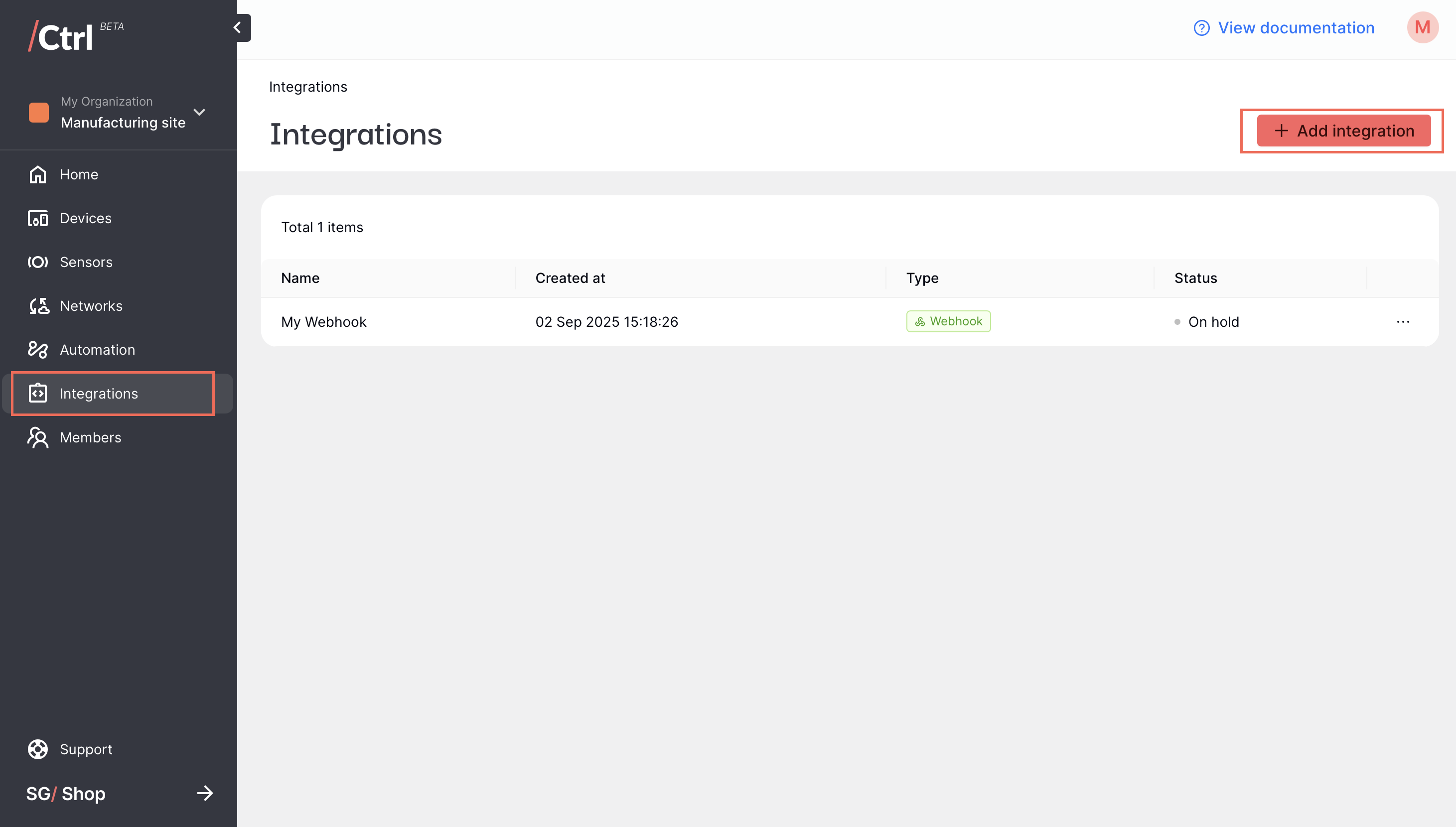
Click Integrations on the side menu, then click “Add integration” on the top right corner.
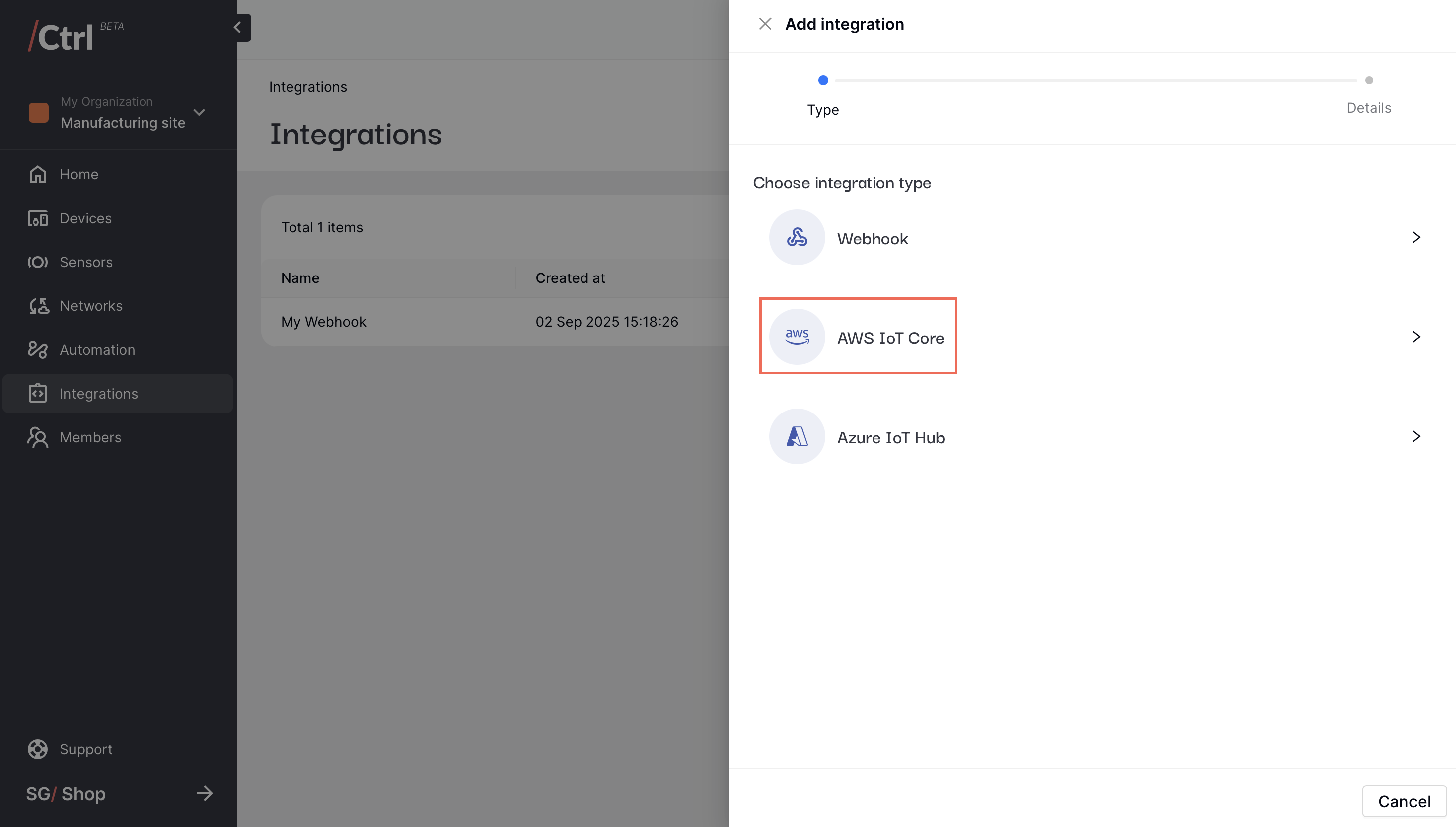
Select AWS IoT Core as the integration type.
Complete your AWS IoT Core information.
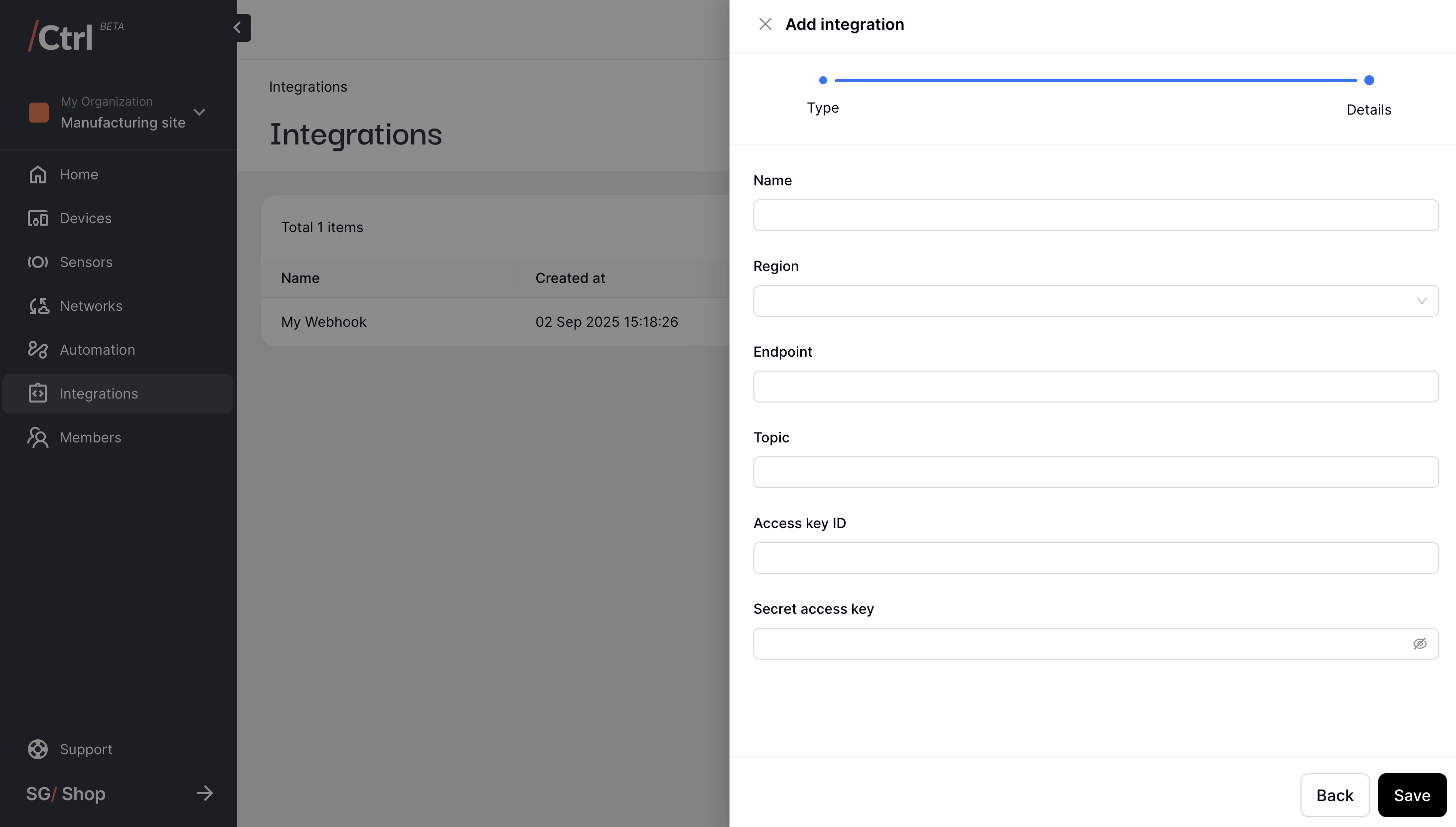
Name: User-friendly name to identify a specific integration config.
Region: Region of your AWS instance.
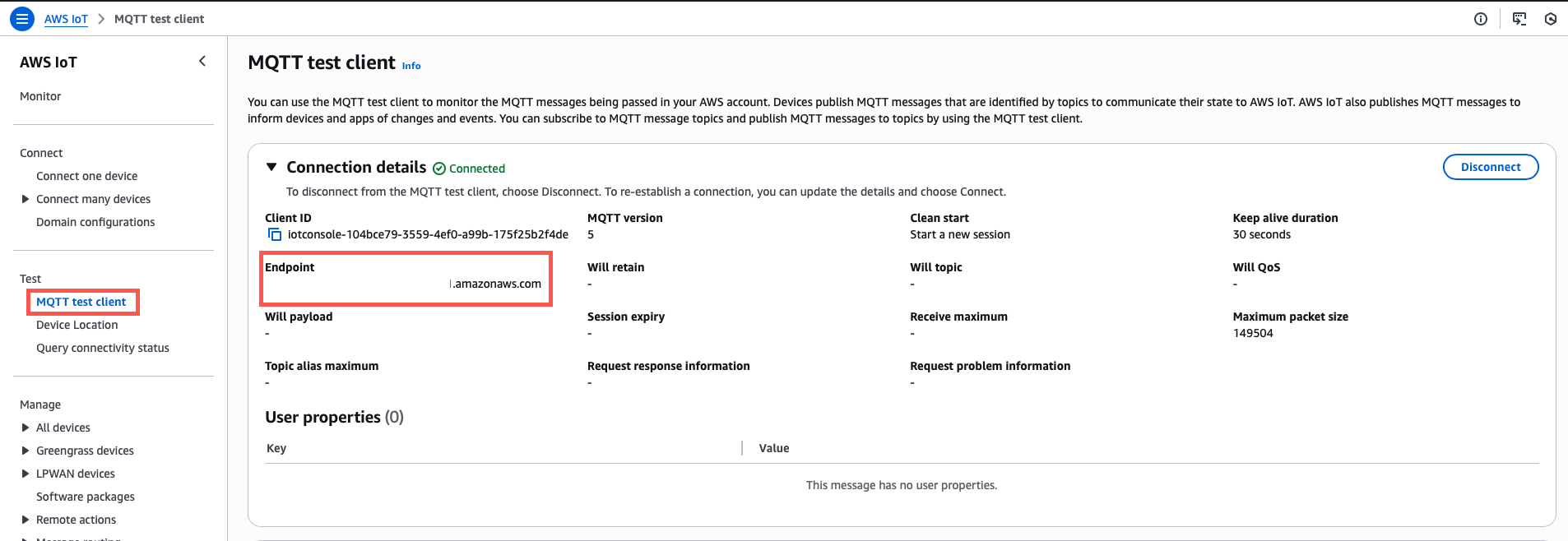
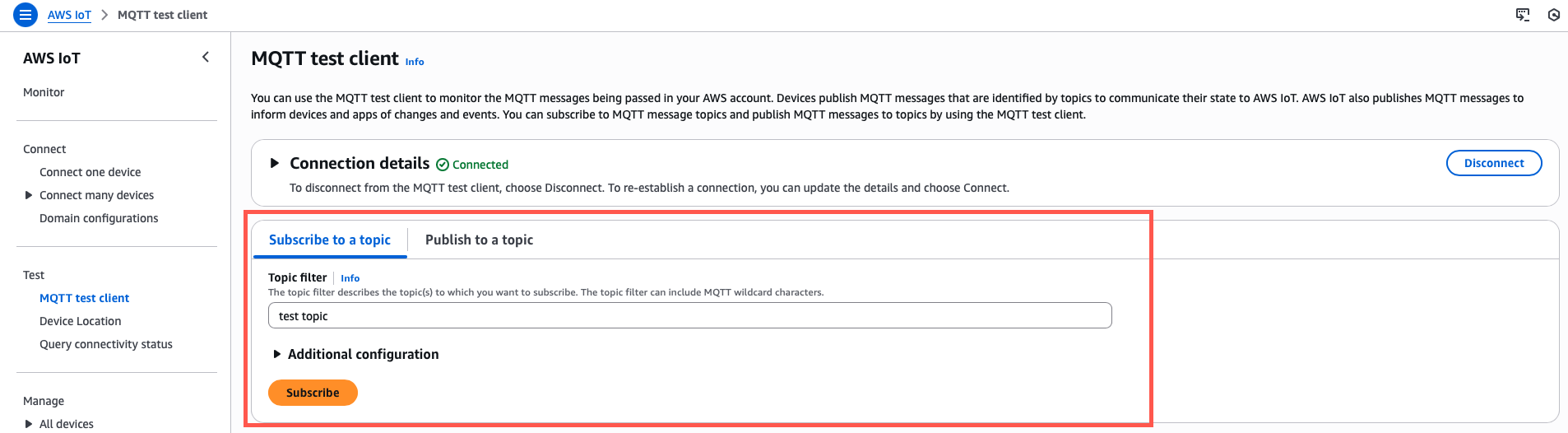
Endpoint: AWS IoT Core MQTT endpoint found on the “Connection details” section on the upper part of the “MQTT test client” tab.
Topic: MQTT subscription topic that you define on the MQTT test client page.
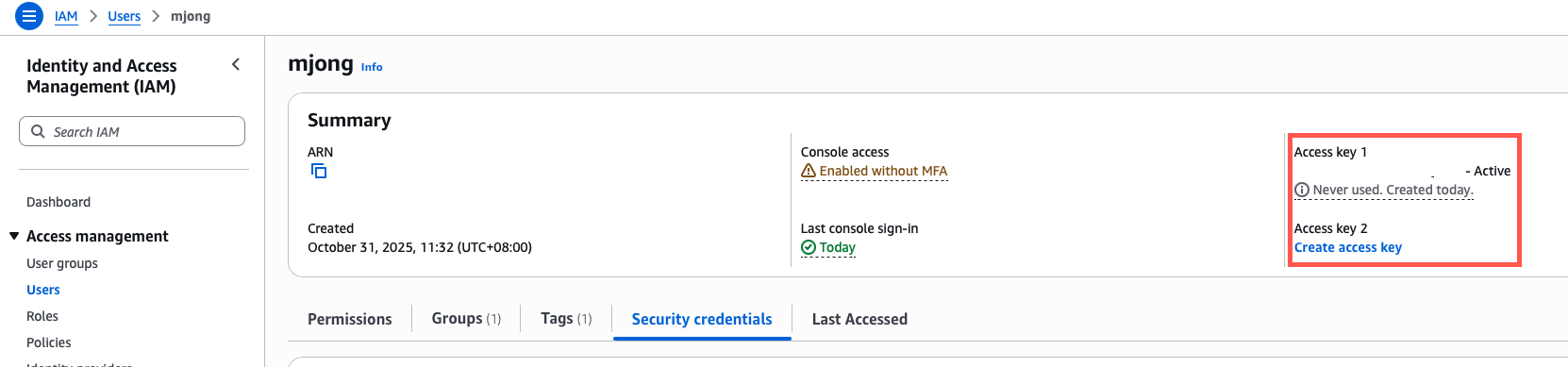
Access key ID and secret access key: You can find the access key ID and secret through the user account details page of the IAM service. Steps to manage the access keys can be found here.
Click “Save” once you’re done. From now on, you can start seeing the incoming telemetry data through the MQTT test client page of your AWS IoT service page.