Account Settings
You can modify your personal account settings and/or organization settings on
Ctrl. Personal account settings are accessible for everyone, while the
organization settings are only open to users who have Store Owner or
Admin role.
Update Personal Account Settings
Update Personal Profile
Click on the user icon at the top-right corner, and choose
My Profile.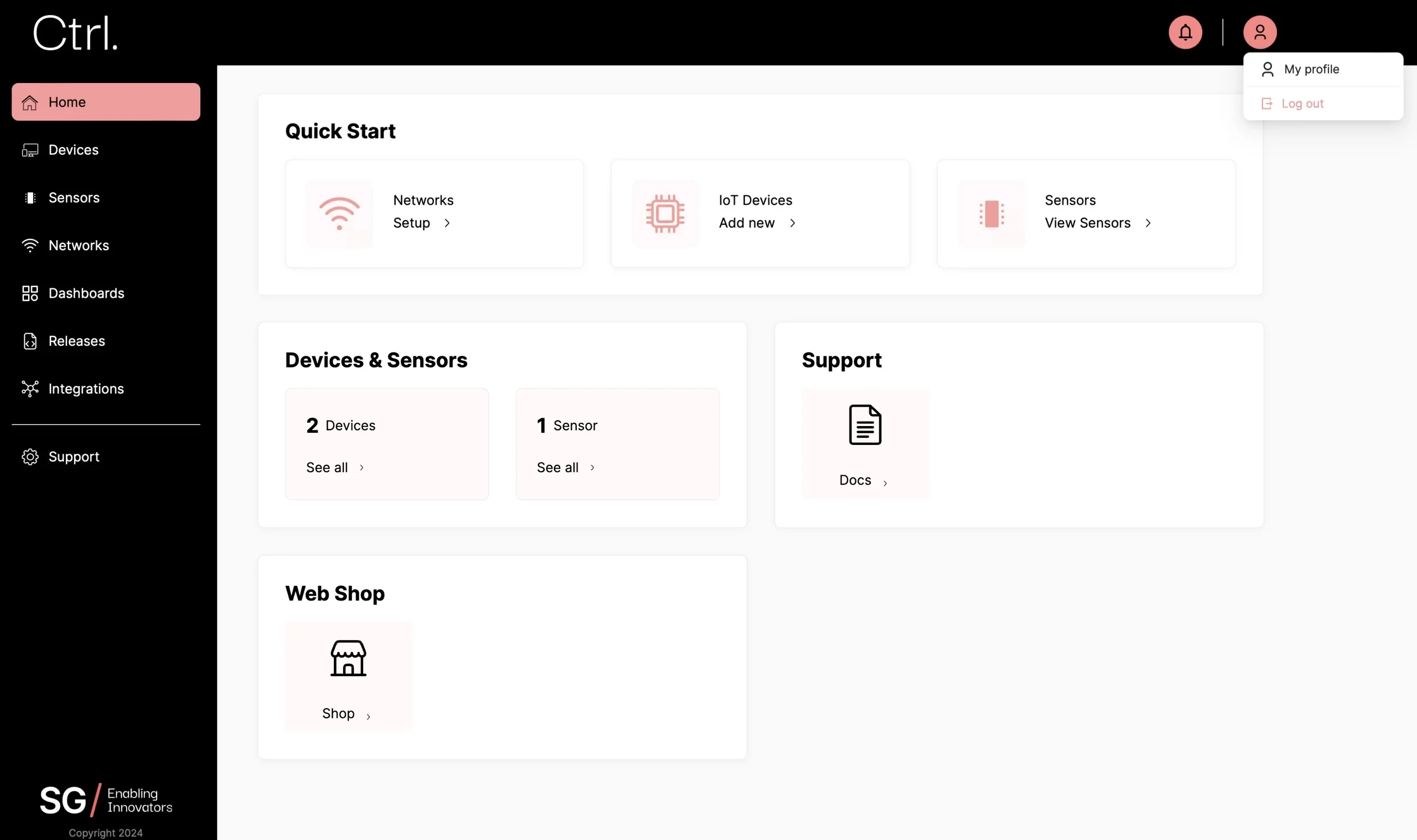
Under the
Accounttab, expand theProfilesection. You can update your first and last name here. This change can be viewed by others in your organization as well.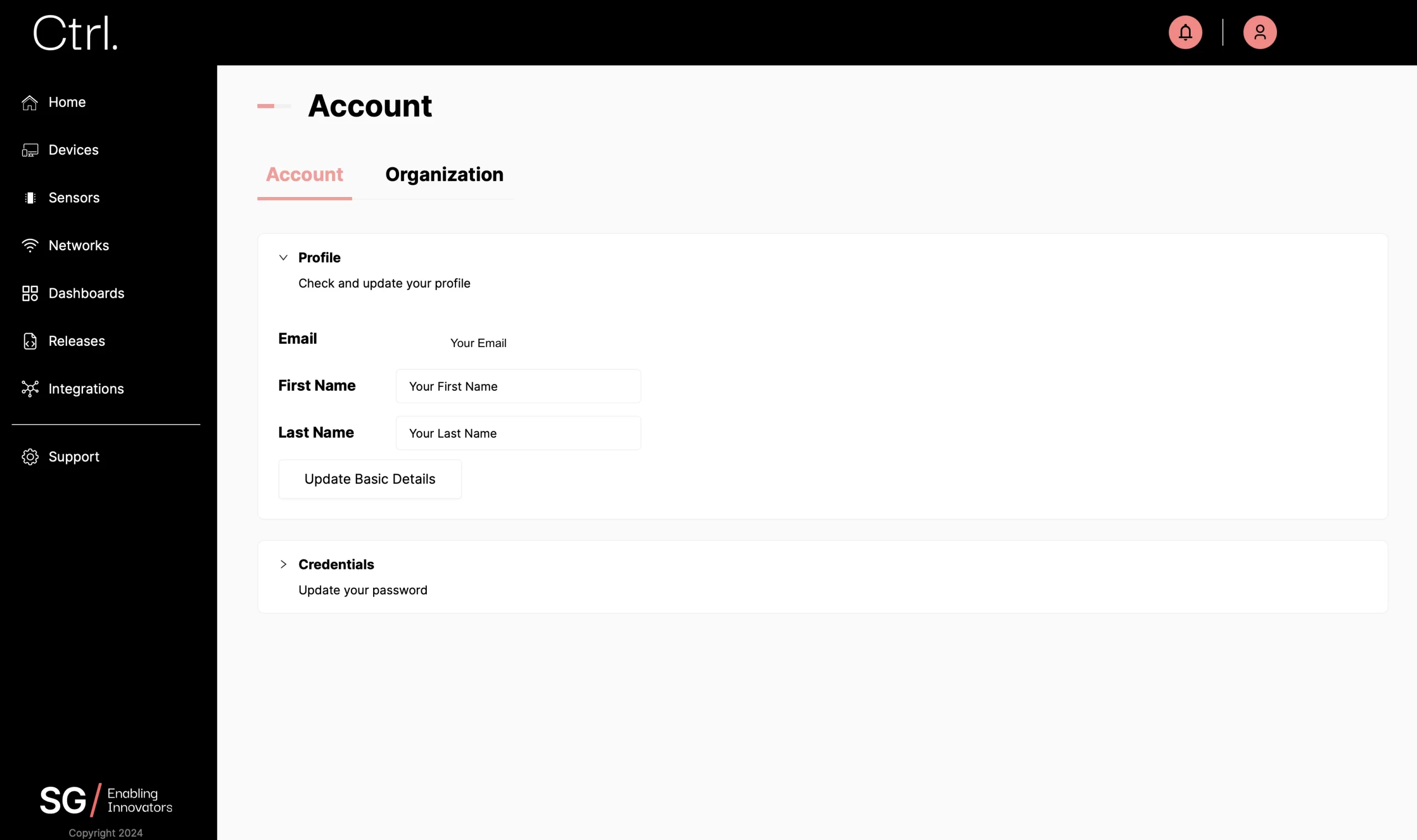
Update Login Credentials
Click on the user icon at the top-right corner, and choose
My Profile.Under the
Accounttab, expand theCredentialssection. You can update your password to Ctrl here. It is recommended for you to change your default password for safety reasons.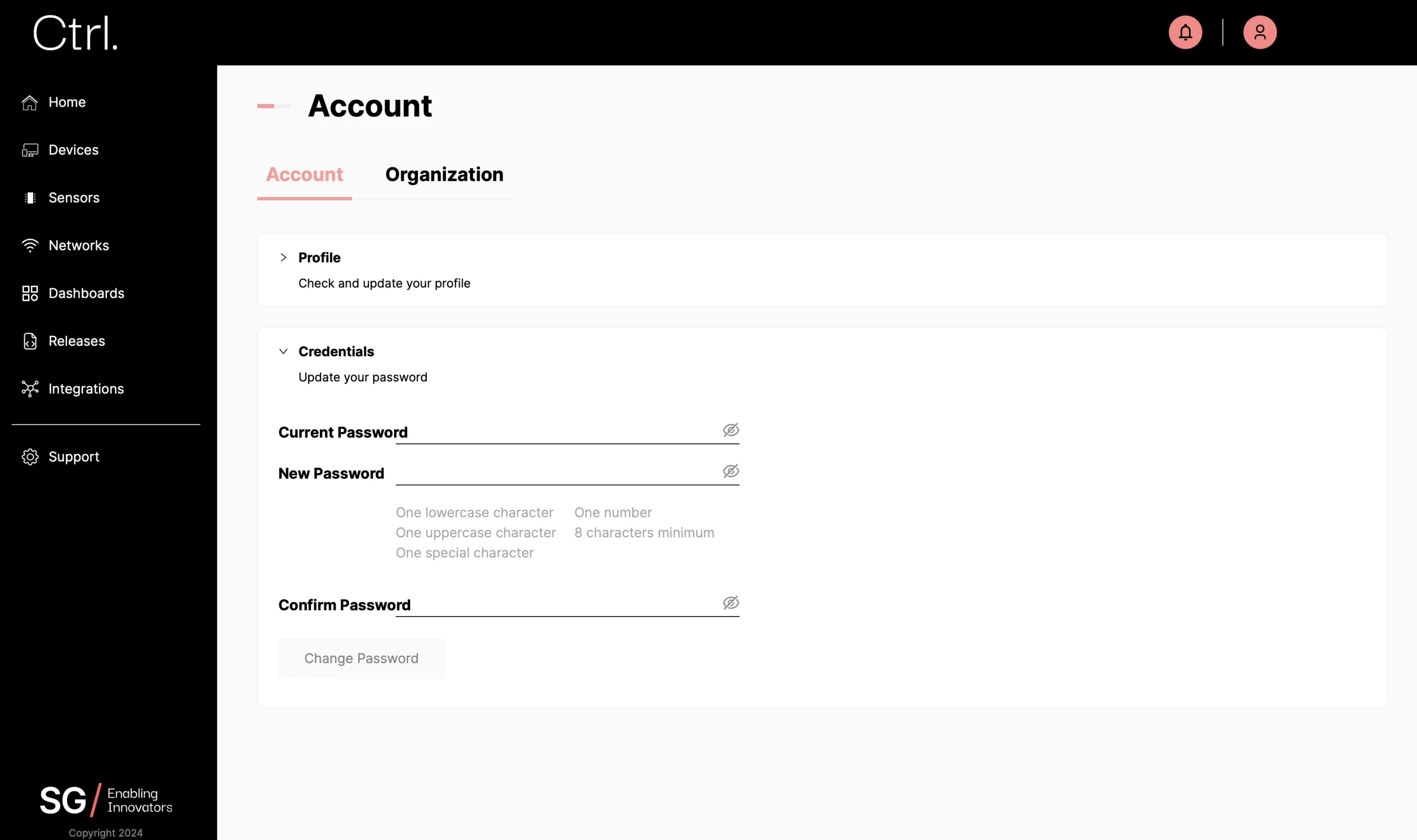
Update Organization Settings
Update Organization Profile
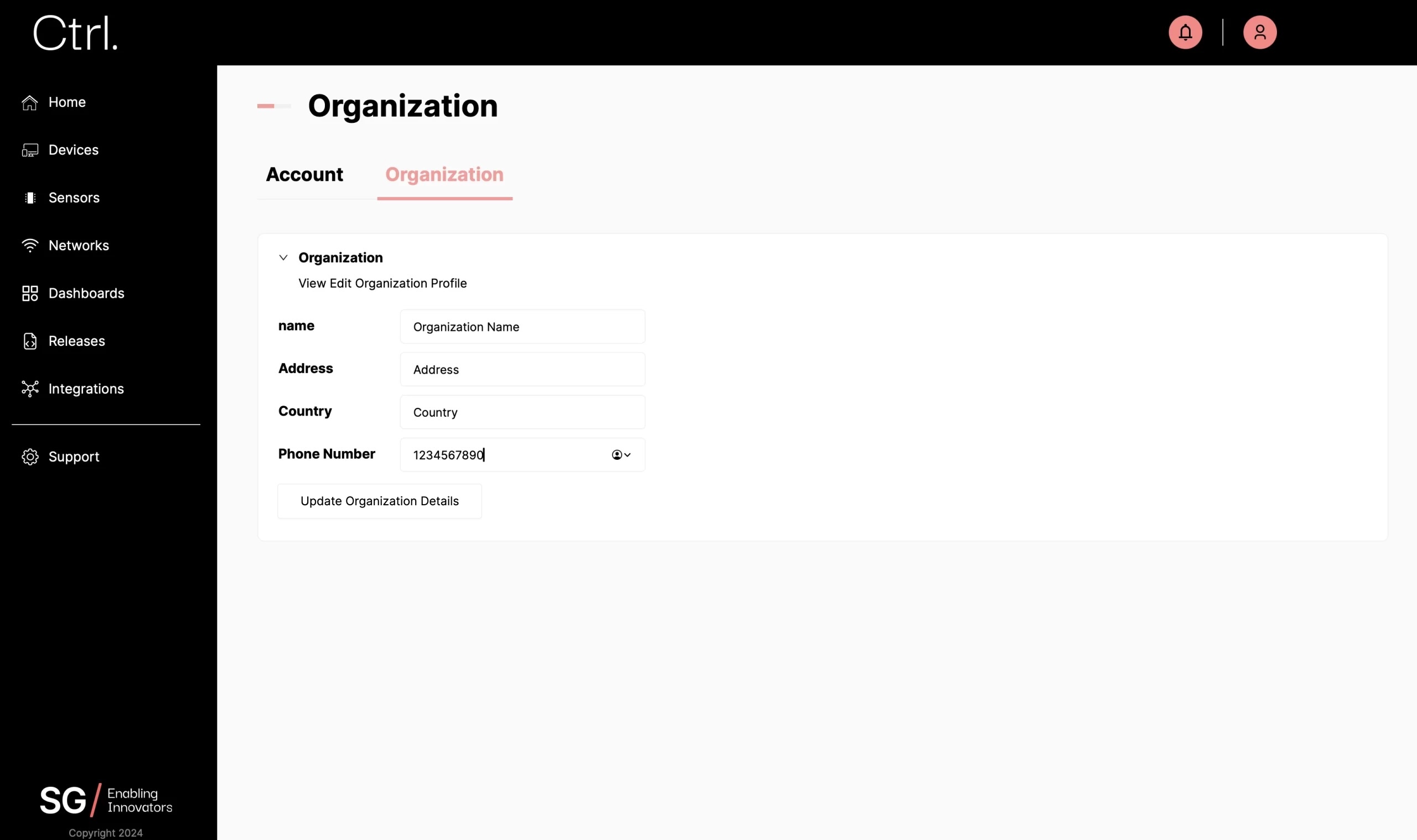
Click on the user icon at the top-right corner, and choose
My Profile.Under the
Organizationtab, expand theOrganizationsection. You can update your company name, address, and phone number here.